To continue an AI story, decide whether you want more prose, a revised passage or a conversation you take part in. In the YourBD website reader, those routes are Continue, Manual edit and Chat with character. The examples below are original planning ideas based on published stories with fictional adult casts, not descriptions of their complete endings.
Choose the action that matches your goal.
- Continue: you want the next part of the story.
- The reader requests another part and adds it to the story. Use it when you want to see what follows the existing prose.
- Manual edit: you want to change the prose.
- Describe the change in the edit dialog. An alternative ending is one possible request. The story is regenerated with that instruction, so review the result rather than assuming only one paragraph changed.
- Chat with character: you want to participate.
- The website asks you to choose your role before opening a character conversation based on the story. You write your side of the exchange instead of simply requesting another narrated part.
Continue and Manual edit are Premium features in the current website flow. The product shows its access checks and offers. Opening a public preview or reading this guide does not buy access, create a continuation or send a chat message.
For an alternate ending, look for Manual edit in the current reader. Do not expect a separate button labelled “Alternative ending.”
Read the story before choosing its next direction.
Begin with the public story previews or open the YourBD story library. A preview introduces a premise; the full story gives you the events you need to continue. Do not assume its last published preview paragraph is the complete ending.
Keep three notes: the latest established action, the unanswered question, and one rule to preserve. Use the planning template to organize them. These are your notes; Continue has no instruction field. Use Manual edit to submit a specific change.
Example one: choose the next scene in Room Thirteen.
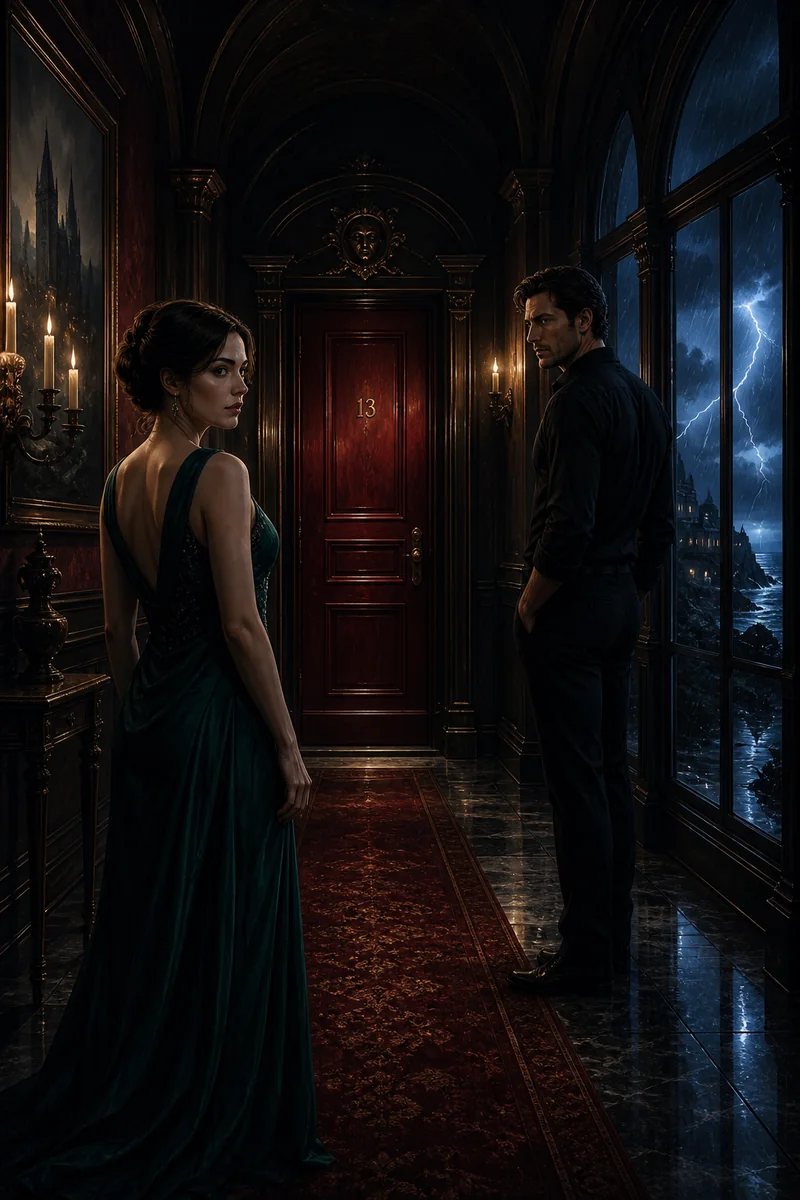
The Threshold of Room Thirteen introduces Mara, an art restorer, and Elias, the owner of a coastal hotel. Its impossible door gives them a shared mystery. Open Room Thirteen in the reader and read the complete story before using Continue.
If you want more prose, ask yourself which unresolved detail still interests you. A practical consequence can make a stronger next scene than immediately introducing another impossible room.
Possible next-scene idea:
Keep Mara and Elias at the hotel. Choose one ordinary detail they can compare after the impossible event: a door number, a sound, or the ledger. Let them disagree about what that detail proves before deciding what to investigate next.
Adapt this idea to the actual events and ending you have read.
Continue requests the next part automatically. For the particular direction above, adapt this prepared idea into a Manual edit instruction and check the result.
Example two: request a different masquerade ending.
In The Mask Until Dawn, costume designer Elara recognizes her work on a curator’s mask. Their rule of one honest answer per room gives an ending something concrete to resolve. Suppose you want a quieter final decision, rather than simply more events after the existing conclusion.
Choose Manual edit and describe what should stay, what should change and where the new passage should end. For example:
Keep the adult cast, the Venetian masquerade and the rule of one honest answer per room. Revise the final scene so Elara can choose whether to reveal her identity, without a sudden proposal or a time jump. End on one honest answer and a decision about whether to meet again. Preserve the established events wherever they do not conflict with this new ending.
The requested scope is a preference, not a guarantee that every earlier sentence stays identical. Read the result for changed names, missing clues or answers repeated from earlier rooms. If the ending is quieter but loses the story’s central question, make that question explicit in your next revision.
Example three: enter Long Exposure as a participant.
Long Exposure follows photographer Rhea and dancer Jonah as they decide how a portrait may be seen. If your interest is answering that question yourself, use Chat with character rather than requesting another narrated part.
The Choose your role dialog asks who you want to be. Describe that role briefly. Here is one optional adult role based on the published premise:
Jonah, the adult dancer. I want a say in which portraits may be shared.
Read the chat opening and check who you are speaking with before continuing. A possible first message is: “Before another frame, can we agree what stays between us?” Then describe only your own next action. Let the other character answer.
This changes the form of your participation. It does not guarantee a particular response, perfect recall or an exact recreation of every line in the story. Keep the detail you care about close to the message that needs it.
Keep your version clear when you return.
When you continue or edit a public story, the website works with a copy in your personal library; your choices do not rewrite the public catalog for everyone. Sign in when prompted. Before regenerating prose you want to keep, use the reader’s copy control to retain your own text copy.
Keep a proposed ending separate from the version you accepted. The scene recap template helps you record the location, relationship and next unresolved choice.
For a conversation that rushes past those choices, try the scene-repair guide. For a new everyday conversation, use the Sophie openings.
Common questions
How do I give Continue a specific instruction?
The current reader’s Continue action requests the next part without an instruction box. To request a particular change, use Manual edit and describe the direction you want.
Can I write an alternative ending in YourBD?
You can request a different ending through Manual edit. Review the regenerated story, including earlier passages, because an instruction does not guarantee that every other detail remains identical.
What is the difference between continuing a story and chatting with its character?
Continue adds narrated prose. Chat with character asks you to choose your role and opens a conversation in which you write your own side of the scene. Account and access checks still apply.
Original examples prepared for YourBD with AI assistance and editorial review. These are suggestions to adapt, not recorded conversations or guarantees of model behavior. YourBD is for adults 18+.